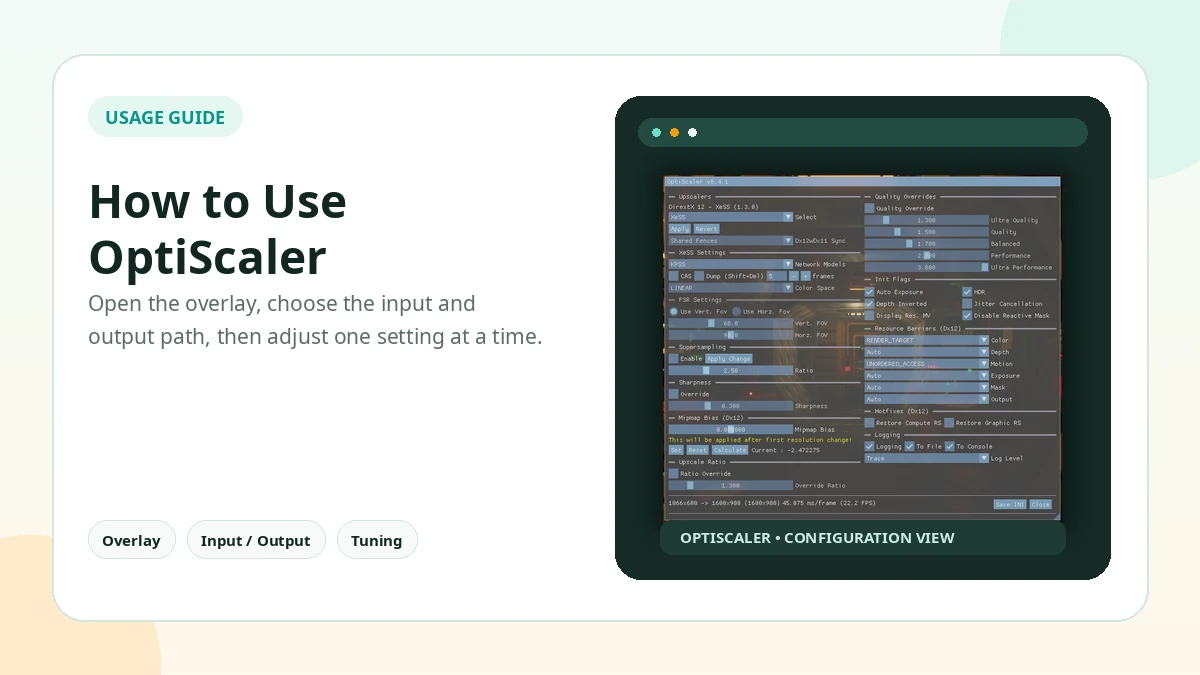
The easiest way to understand OptiScaler is to separate the game input from the OptiScaler output. The game exposes an upscaler in its menu; OptiScaler can intercept that supported input and redirect it to the output you choose in its overlay, which is commonly opened with Insert.
Why the Overlay Does Not Appear
Work through the usual causes in order: files outside the correct game executable folder, the wrong proxy DLL for that game and API, input-hook conflicts with other overlays, and finally a game-specific compatibility issue.
Open the Overlay with Insert
Press Insert once the game is running with OptiScaler installed. On some keyboard layouts the game and configuration may need an alternate combination, so check the configured shortcut before assuming the install failed.
Rule Out Overlay Conflicts
Temporarily disable other overlays that may capture the same input or graphics hooks, then launch the game offline and press Insert again.
Input vs Output
Treat the input as the upscaler option selected inside the game, and the output as the technology selected inside OptiScaler. This distinction helps when a title says DLSS in its menu but another backend is actually doing the upscaling.
Verify the Active Backend
Do not judge only by the game menu label. Use the information shown by OptiScaler and any available backend indicator or watermark to confirm which output is actually active.
Practical Checklist
- Press Insert in game and check the configured shortcut if nothing opens.
- Keep original files backed up before changing the game folder.
- Test one setting or backend at a time.
- Avoid anti-cheat protected online sessions.
- Document the working configuration before updating.
Related Guides
Continue with the related guides in the sidebar for setup, compatibility, performance, or safety topics.